How to Set Up a Home Sports Bar for Game Day
A Checklist for Displays, Audio, Lighting, and Seating
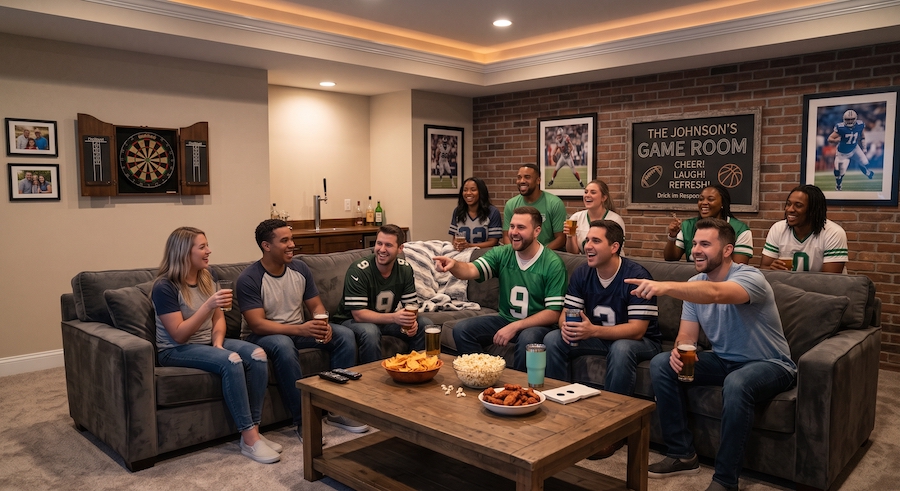
October is a thrilling time of year for Boston fans. It’s the season where you can enjoy football, hockey, and basketball in the same week. But as you begin hosting Game Day parties, you might suddenly notice some weak spots in your viewing experience. A screen washed out by the afternoon sun. Live commentary that disappears under your guests’ conversation. Your guests in the back are craning their necks to see past the people in front. One rough Sunday is usually all it takes to see what the room is missing.
A well-planned home sports bar fixes those problems before the first guest walks in. Keep reading to evaluate where your bar or game room stands today and what it needs before the season gets busy.
Displays: Plan Every Screen Around Sightlines
Sports bars need one primary display large enough for the main game, and we often install one or two secondary screens for other matchups and scores. From a couch 10 to 12 feet away, a primary screen in the 75- to 85-inch range is a common starting point. Mount the primary screen where it reads clearly from the bar stools and the couch alike.
Unlike movie nights, sports watch parties start in the daytime, so it’s helpful to choose a display that can handle ambient light. We install screens that adjust brightness levels dynamically, so your picture stays clear even on a sunny day. Integrating motorized screens into your sports bar setup also helps you control natural light throughout the day.
A multi-room video system ties everything together. Your cable boxes and streaming players live in a hidden equipment rack, and you can manage every screen from the same device. Rather than hunting for the right remote at kickoff, you switch on the game with a quick tap on your phone.
Audio: Hear the Game Over the Crowd
A full room is loud, and built-in TV speakers lose that fight by the second quarter. Paradigm in-ceiling and in-wall speakers, powered by an Anthem multi-zone amplifier, carry play-by-play clearly across the room. They also sit flush with the ceiling, so the room remains sleek and free of exposed wires.
Zoning is the feature most people don't know to ask for. With the room split into audio zones, the main game plays through the speakers near the couch while the bar area runs quieter or switches to music at halftime. Two games at once stop being a volume battle and become a fun, versatile experience.
Lighting and Shades: Set the Scene in One Tap
Lighting is where a game room starts to feel like a real sports bar. Layered lighting control gives you bright task light behind the bar and softer illumination around the seating. Dimming features reduce glare while creating a safe path for guests to navigate the space when the game runs long into the evening.
Crestron control turns those layers into scenes. One "Game Time" button can power on the displays, set the audio, lower the motorized shades, and dim the lights around the screen. A "Halftime" scene brings the lights up so guests can find the food. An "All Off" button shuts the room down when the last fan heads home.
Seating: Give Every Guest a Clear View
Seating determines how many people the room can hold comfortably, so we recommend planning it at the same time as the screen locations. A row of bar-height stools behind the couch adds a second viewing tier, letting the people in back see over the people in front.
Keep walkways clear so anyone heading to the bar doesn't cross in front of the main screen. If you want power or charging at the seats, plan those outlets before the flooring and furniture go in. Our team started as licensed electricians, so that wiring is part of the project from day one.
Get Your Game Room Ready for the Season
Every item on this checklist works better when it's planned together. Screen placement shapes the seating, and the seating shapes where speakers and lights go. A room designed as one system is a room you'll want to host in all seasons.
If you're ready to make your bar or game room the place everyone wants to watch, contact Riordan Brothers Integration to schedule your free, no-obligation consultation.
How to Set Up a Home Sports Bar for Game Day

Planning Before a Home Automation, Lighting, or Shading Project Begins

How to Protect Every Corner of Your Home from One Platform

Home Theater vs. Media Room: What's Best for Your Family?
